Local AI workspace
Configure once.Sync everywhere.
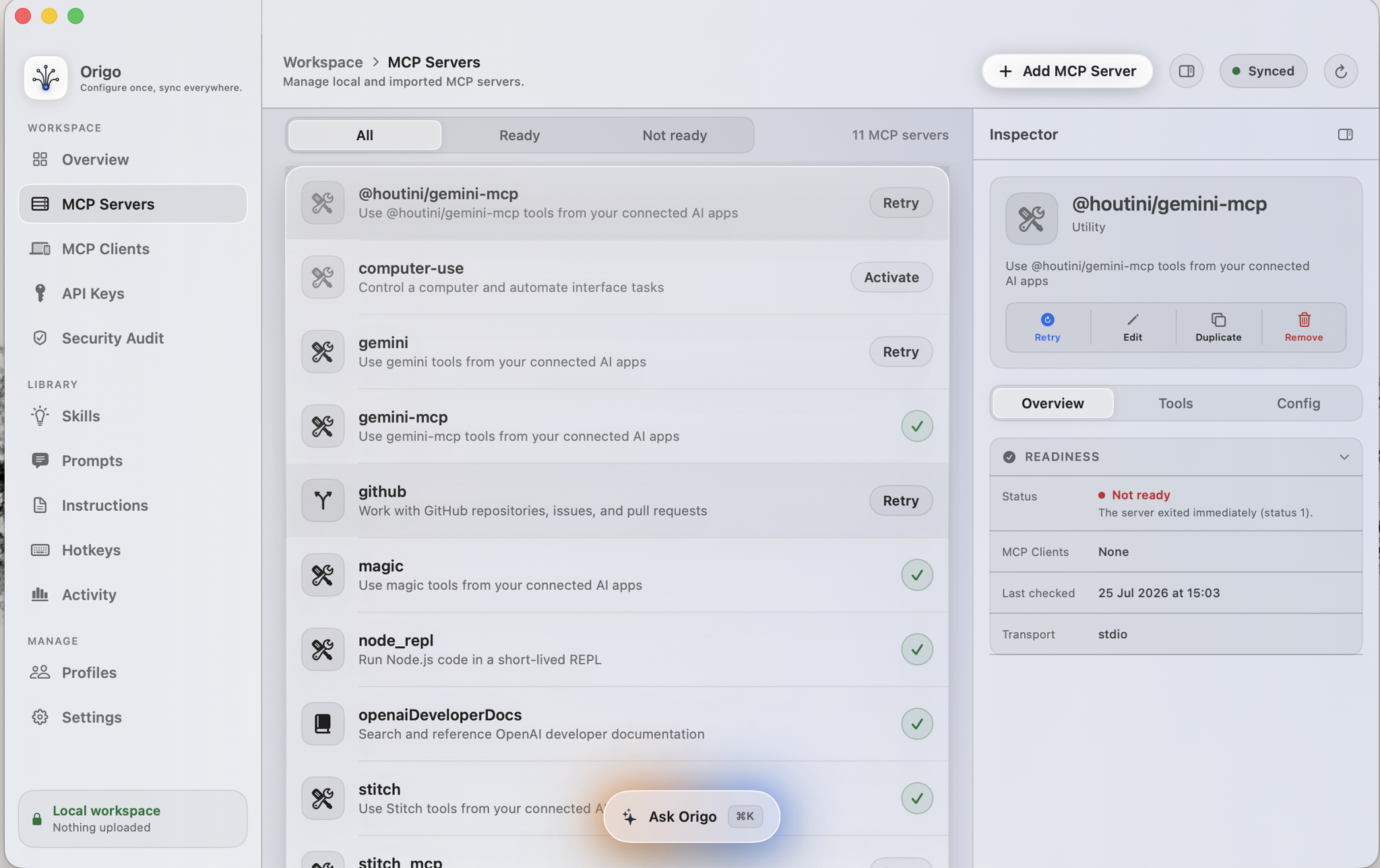
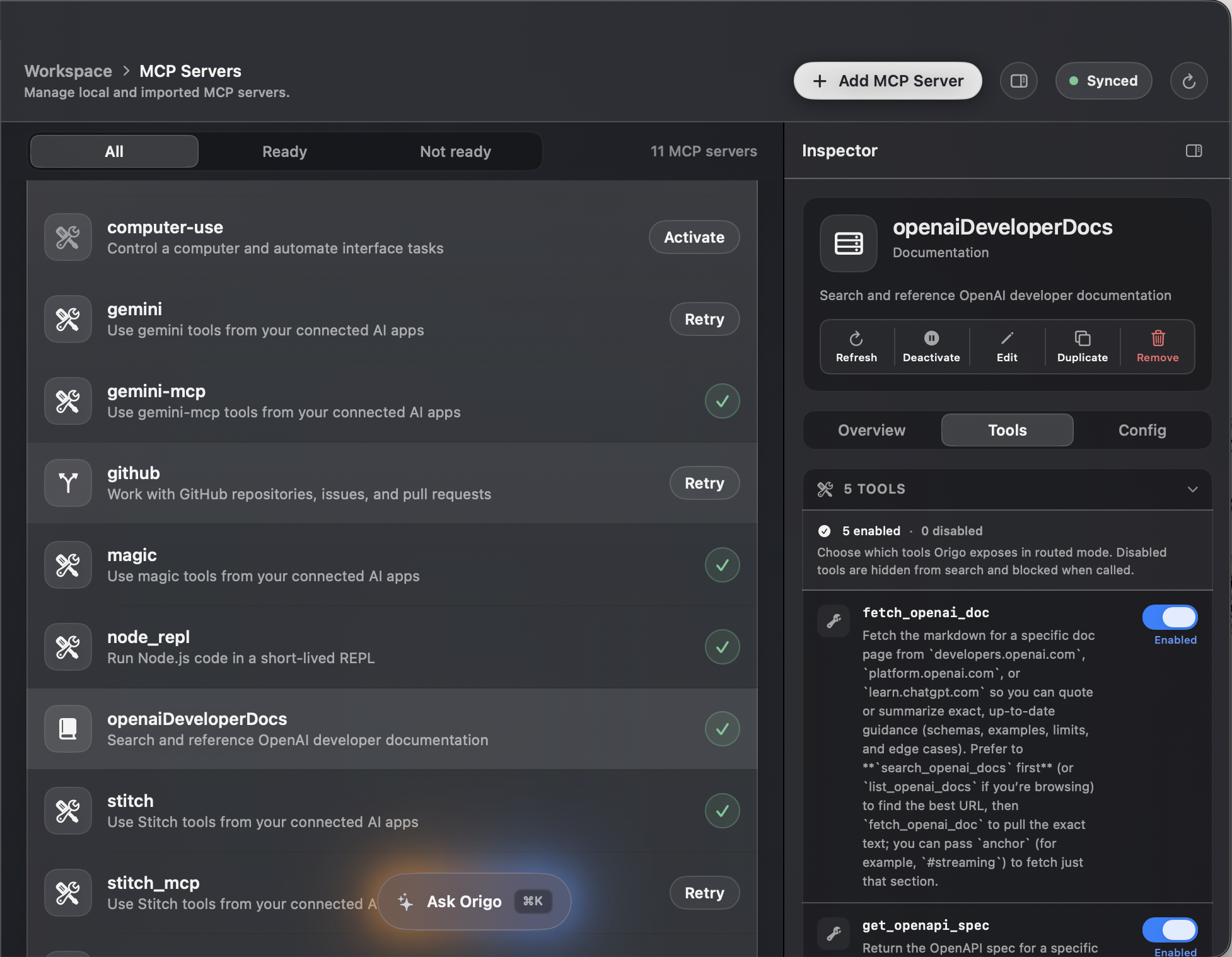
One local source of truth for MCP servers, API keys, skills, prompts, and instructions, keeping every supported AI client in sync.
For anyone working across multiple AI tools who wants one consistent setup
- OpenAI Codex
- Claude Desktop
- Claude Code
- Cursor
- Visual Studio Code
- Windsurf
01Sync
Define a server once.
Every client receives it.
Origo keeps the canonical list and writes each client its own native file. Fix a server in one place and it is fixed everywhere it is used.
- Canonical servers
- Managed in one place
- 11
- Clients in sync
- Two have drifted since their last write
- 1/5
02One origin
One source, wired out to everything you run.
Instead of six config files drifting apart, there is one workspace and a set of writes you approve. Origo knows the format each client expects.
- OpenAI Codex
- Claude Desktop
- Claude Code
- Cursor
- Visual Studio Code
- Windsurf
03Security
Keys live in the Keychain,
never in a config file.
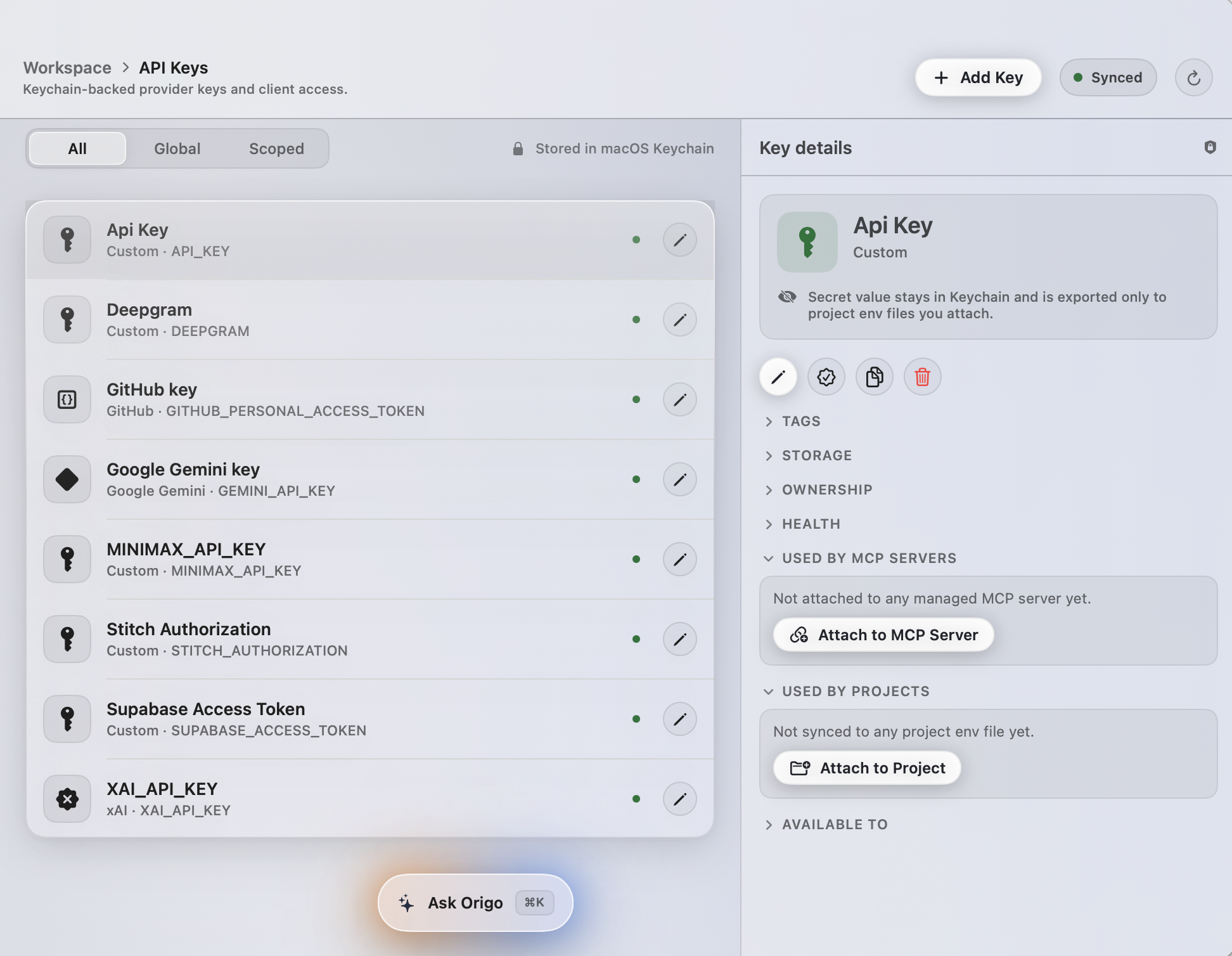
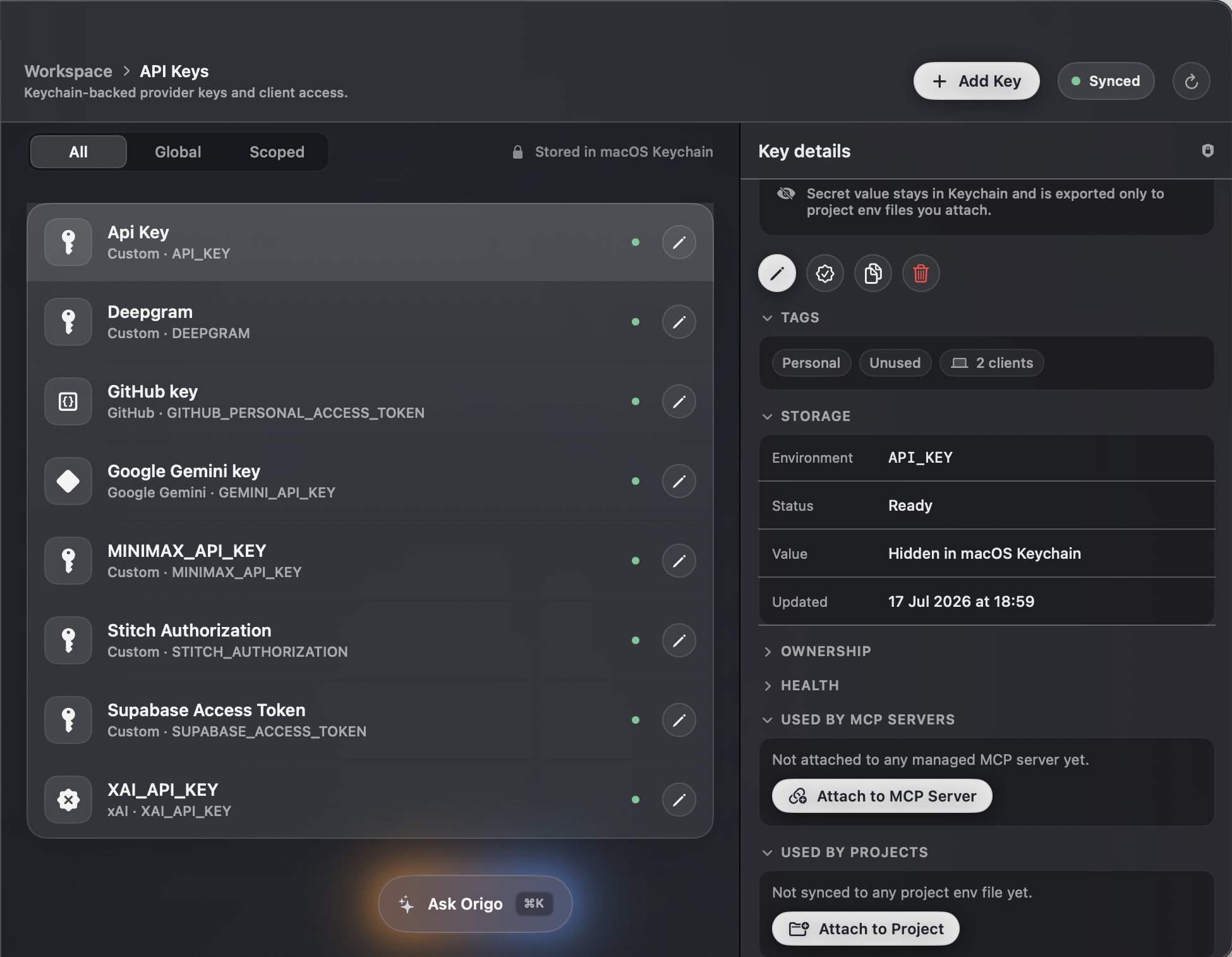
Origo stores a named reference and shows every server and project using it. The audit reads your client files and finds the credentials already sitting in plain text.
- Held in Keychain
- Values are never displayed or logged
- 8
- Plaintext found
- stitch · Authorization header, in mcp.json
- 1
04Ask
Ask once. The workspace answers.
Press command K anywhere to add a server, find what is broken, refresh local configuration or run an audit.
The workspace holds more than servers.
Skills, prompts, instructions and profiles live in the same source, and reach your clients the same way.
One price.Your setup stays yours.
At launch, pay once and keep the version you buy. No subscription, no account, no recurring fee.
Origo for macOS
$49$29once
Launch price · $49 after launch
Locked in for everyone on the list. One Mac. One year of updates. Nothing expires.
macOS 15 Sequoia or later · Apple silicon
What you get
- Every feature, server and supported client
- Personal licence for one Mac
- One year of product updates
- The version you buy keeps working
- No account, telemetry or required cloud
- Local backups and one-click restore
Frequently Asked Questions
Everything you need to know before Origo becomes the source of truth for your local AI workspace.
Does anything leave my Mac?
No. Origo has no account, no telemetry and no required cloud. It reads and writes the configuration already on your disk.
What if Origo writes a bad config?
Every write shows an exact diff, creates a local backup and verifies the file afterwards. You can restore the original byte for byte.
Is it really not a subscription?
No. Origo will be a one-time purchase: $29 at launch, $49 after. It will include one year of updates, and the version you buy will keep working.
What do I get without paying?
At launch, the free experience will include everything except writing changes. Origo will find every client and server, run the full security audit, and show you the exact diff of any change. Backups, restore, unwire and Eject will stay free too, so you can always get back to where you started. Nothing will expire.
So what does the licence unlock?
At launch, it will unlock writing your setup back to your clients: syncing servers, fixing the credentials the audit found, deploying skills and instructions, and switching profiles.
Which apps are supported?
OpenAI Codex, Claude Desktop, Claude Code, Cursor, Visual Studio Code and Windsurf.
Which macOS versions are supported?
macOS 15 Sequoia and later, on Apple silicon Macs, M1 or newer. Intel Macs are not supported in this version.
Put every agent on the same setup.
At launch, Origo will be free to inspect. No account, no upload, and no change to a client file until you approve it.
macOS 15 Sequoia or later · Apple silicon